
Open the PDF and inspect current properties
Change the title property and check whether the visible PDF heading is unaffected.

Edit title, author, subject and keywords.
A PDF title property is separate from the heading drawn on the first page.
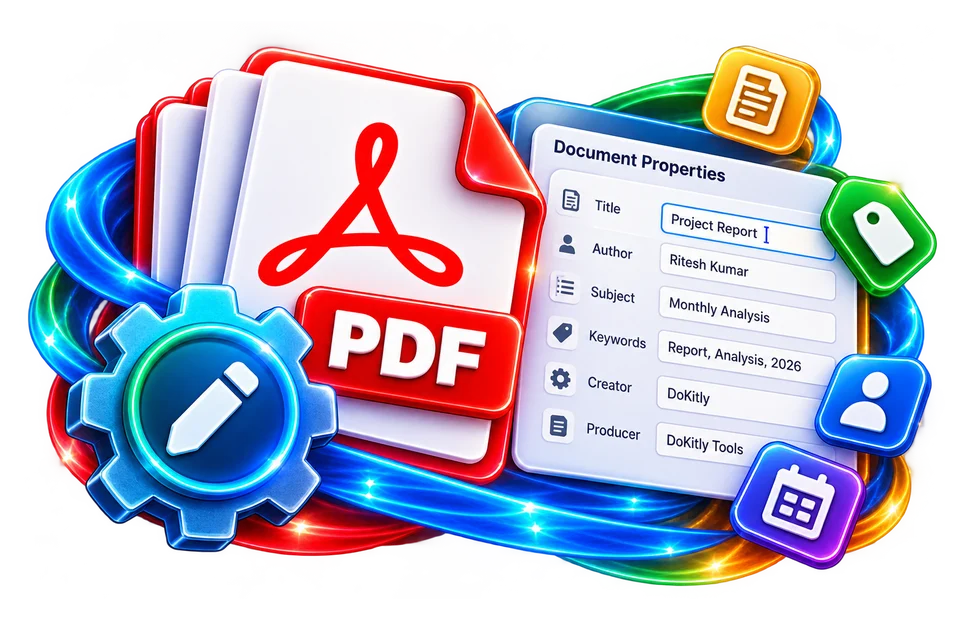
Change the title property and check whether the visible PDF heading is unaffected.
Update a document's title or author metadata.
Metadata does not change the visible PDF page content.
Change the title property and check whether the visible PDF heading is unaffected.
A PDF can display a title like 'Draft estimate' inside the page while its metadata Title field still says 'Untitled'. Editing metadata changes properties, not printed page text.
Use the real tool above to verify the result. The example illustrates the workflow, not a guaranteed outcome.
A PDF can display a title like 'Draft estimate' inside the page while its metadata Title field still says 'Untitled'. Editing metadata changes properties, not printed page text.
Some applications cache metadata and may show older details until the document is reopened. Sensitive body text must be handled separately.

A PDF title property is separate from the heading drawn on the first page.
A PDF title property is separate from the heading drawn on the first page.
Change the title property and check whether the visible PDF heading is unaffected.
A PDF can display a title like 'Draft estimate' inside the page while its metadata Title field still says 'Untitled'. Editing metadata changes properties, not printed page text.
PDF metadata fields can contain title, author, subject, keywords, creator or producer information. Editing them changes descriptive properties and may not alter visible page text. For instance, a file named report-final-v3.pdf might still have a title property from an earlier draft; correcting the title can make file management clearer. But changing an author field does not establish legal authorship or rewrite who actually created the document. Treat the fields as editable labels rather than authenticated provenance.
A report prepared for an internal team may contain outdated keywords that no longer describe its contents. You can update those fields for better local searching, but a PDF viewer or indexing tool might prioritize different metadata containers. Some documents contain both classic PDF Info dictionary entries and XMP metadata. If the tool updates only one layer, conflicting values can remain. After export, inspect the modified PDF with a separate metadata viewer to confirm the intended fields really changed.
Creation and modification timestamps can have timezone or format conventions that do not match the operating system's displayed file date. Editing metadata is not equivalent to changing the filesystem creation time, nor does it prove a particular historical event occurred. For audit-sensitive documents, avoid deliberately falsifying dates or authorship fields. If the file is digitally signed, any modification may invalidate the signature. Keep an untouched signed original and document the reason for creating an edited derivative.
Non-English titles and authors can require proper Unicode encoding. If Hindi characters turn into boxes in a metadata viewer, the issue may be the target reader or the PDF writer's handling of strings, not the visual font on the document page. Validate the exported values in more than one reader when multilingual indexing matters. Do not paste passwords, secret access tokens or personal identifiers into keywords merely to make them searchable.
Even if title and author fields are blanked, the PDF may contain attachments, hidden annotations, comments, document information from embedded files or identifying visible text. Editing an ordinary property does not perform comprehensive sanitization. When sending a public version, inspect content and attachments separately and use an appropriate metadata-removal/redaction workflow if necessary. A small file-size change after metadata editing is normal; confirm that all pages still open and render correctly. The final output should preserve visible page count and formatting unless another operation was explicitly selected.
A PDF exported from a shared office template can inherit a title like “Proposal Draft” and a creator field unrelated to the final author. Editing these properties makes the file easier to identify in document managers, but it does not prove authorship or erase hidden private data. Write a precise document title and check the exported file using a second reader, because some programs display XMP properties while others prefer the Info dictionary. Dates may reflect creation or modification in different time zones. If the source has a digital signature, any rewrite of its bytes can invalidate it; retain the signed original and record any edited derivative separately.
Renaming a PDF's metadata Title to “Quarterly Summary” changes a descriptive field, not necessarily the file's filename or the title printed on its first page. Author, Subject and Keywords are also metadata, and anyone with an editor may be able to modify them. For a publishing workflow, coordinate the document properties with the visible cover title so readers are not confused. Before sharing, check whether the file still exposes timestamps or software tags you did not intend to publish. Editing metadata can alter the PDF bytes and should not be used on a digitally signed original without confirming signature implications.
No. The displayed page content and metadata fields are different.
No. An editable metadata field is not a digital signature or evidence of authorship.
No. Editable metadata is not a cryptographic identity verification mechanism.
Not generally. The operating-system filename and internal PDF Title are separate values.