
01
Choose practice
The DoKitly Hindi InScript Typing Tutor teaches the physical InScript keyboard layout rather than Hinglish transliteration. Lessons connect the English QWERTY key position to the Hindi character…

Learn the real physical-key InScript layout from key discovery to matras, half letters, conjuncts, words and speed.
Press the real InScript physical key for the character shown above.
Keep the physical keyboard in English. The pad converts the same InScript physical-key mapping used in the lessons, including Shift combinations such as Shift+I = घ.
The DoKitly Hindi InScript Typing Tutor teaches the physical InScript keyboard layout rather than Hinglish transliteration. Lessons connect the English QWERTY key position to the Hindi character produced by the InScript layout, then build toward vowels, consonants, matras, half letters, conjuncts, words and longer practice. Physical key combinations are validated from keyboard codes and modifier keys so practice remains tied to the real layout instead of depending only on what an operating-system input method reports. Short, accurate practice sessions are more useful than racing through characters before their key positions become automatic.
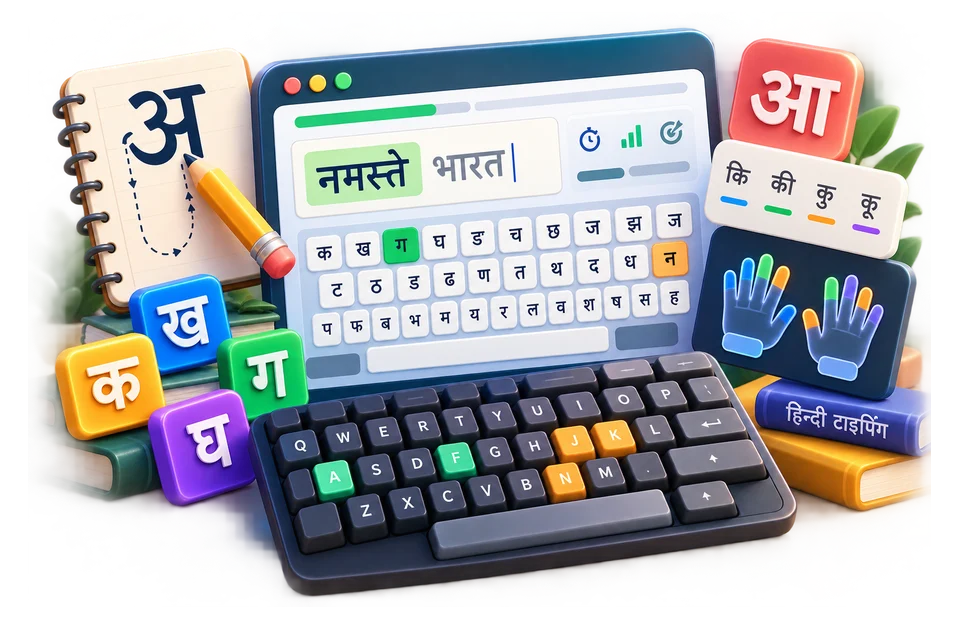
The DoKitly Hindi InScript Typing Tutor teaches the physical InScript keyboard layout rather than Hinglish transliteration. Lessons connect the English QWERTY key position to the Hindi character…
Hindi InScript is a physical keyboard layout, not phonetic conversion from English sounds. Pressing a Latin key may produce a Devanagari character according to the selected mapping, so memorising…
Hindi InScript is a physical keyboard layout, not phonetic conversion from English sounds. Pressing a Latin key may produce a Devanagari character according to the selected mapping, so memorising…
Hindi InScript is a physical keyboard layout, not phonetic conversion from English sounds. Pressing a Latin key may produce a Devanagari character according to the selected mapping, so memorising which key produces क or…
Use the real tool above to verify the result. The example illustrates the workflow, not a guaranteed outcome.
No. The tutor is designed for the physical Hindi InScript keyboard layout.
No. The on-screen layout and target guidance can be used with a standard English QWERTY keyboard.
InScript assigns different characters to plain and Shift-modified key combinations, so the modifier is part of the correct physical input.
Yes. The progression includes matras and their typing order after foundational key practice.
Yes. These are part of the later progression after base consonants and matras.
Build accurate physical-key memory first, then move from characters to common words and longer timed practice.

The DoKitly Hindi InScript Typing Tutor teaches the physical InScript keyboard layout rather than Hinglish transliteration. Lessons connect the English QWERTY key position to the Hindi character produced by the InScript layout, then build toward vowels, consonants, matras, half letters, conjuncts, words and longer practice. Physical key combinations are validated from keyboard codes and modifier keys so practice remains tied to the real layout instead of depending only on what an operating-system input method reports. Short, accurate practice sessions are more useful than racing through characters before their key positions become automatic.
The DoKitly Hindi InScript Typing Tutor teaches the physical InScript keyboard layout rather than Hinglish transliteration. Lessons connect the English QWERTY key position to the Hindi character produced by the InScript layout, then build toward vowels, consonants, matras, half letters, conjuncts, words and longer practice. Physical key combinations are validated from keyboard codes and modifier keys so practice remains tied to the real layout instead of depending only on what an operating-system input method reports. Short, accurate practice sessions are more useful than racing through characters before their key positions become automatic.
The DoKitly Hindi InScript Typing Tutor teaches the physical InScript keyboard layout rather than Hinglish transliteration. Lessons connect the English QWERTY key position to the Hindi character…
Hindi InScript is a physical keyboard layout, not phonetic conversion from English sounds. Pressing a Latin key may produce a Devanagari character according to the selected mapping, so memorising…
Hindi InScript is a physical keyboard layout, not phonetic conversion from English sounds. Pressing a Latin key may produce a Devanagari character according to the selected mapping, so memorising which key produces क or…
InScript is a standardized keyboard layout for Indian scripts. Instead of typing a Roman spelling and asking software to transliterate it, you press specific physical keys for Devanagari characters. Learning the layout takes more initial practice, but the same key positions can become predictable through repetition and finger memory.
Begin with small groups of keys and learn the physical position before trying to type full sentences. The tutor highlights the current target and can show modifier requirements such as Shift. For example, plain I and Shift+I represent different targets in the layout, so correct modifier handling matters.
The on-screen keyboard is a reference for the physical keyboard under your hands. Practice should focus on where the key is located, which finger reaches it, and whether Shift is required. Avoid mixing a phonetic transliteration habit into an InScript lesson because the two systems use different mental models.
After the key zones become familiar, practice independent vowels and consonants, then matras. Matras are important because the visual position of a vowel sign around a consonant does not always match the simple left-to-right typing intuition of English. Repeating small character combinations helps establish the correct typing order.
Hindi words often use the halant and conjunct forms. These are easier to learn after base consonants and matras are reliable. Practice the component key sequence slowly first, then use common words so the pattern becomes meaningful rather than a memorized sequence of isolated symbols.
Consistent finger use reduces unnecessary hand movement and makes the layout easier to remember. Complete lessons accurately before increasing speed. Once individual keys and combinations feel automatic, move to words, sentences, paragraphs and timed drills. The goal is not merely to recognize Hindi characters but to build repeatable physical keyboard skill.
A useful progression is physical key recognition first, then grouped vowels and consonants, followed by matras, halant combinations, common conjuncts and frequent words. Do not rush to paragraph speed while key positions still require conscious searching. Repeat weak keys in short sessions and revisit them after a break. When a combination uses Shift, practice both the base key and the shifted character so the modifier becomes part of the movement pattern rather than a separate thought.
A Hindi input method can produce the same visible character through different software paths, but a typing tutor needs to teach the intended physical key. That is why the lesson engine pays attention to the physical keyboard code and Shift state for targeted combinations. This makes practice more consistent and helps prevent a learner from receiving credit for a different key path that happens to display the same character.
Hindi InScript is a physical keyboard layout, not phonetic conversion from English sounds. Pressing a Latin key may produce a Devanagari character according to the selected mapping, so memorising which key produces क or a matra is part of the practice. When typing conjuncts, combining marks and half letters, text can look visually different from its underlying Unicode sequence. Practice short letter drills before sentences and inspect errors at the character level. A keyboard operating system setting or browser focus issue can interfere with keystrokes, so click the expected input area and check the active layout. Speed alone is not evidence of accurate Hindi text entry.
Accuracy practice should include words with vowel signs and consonant clusters instead of repeating only isolated characters. A visually correct Hindi word may be produced from different Unicode sequences in unusual circumstances, so a tutor should be evaluated using its actual key mapping and expected text. If a drill repeatedly marks a familiar keystroke wrong, verify the selected layout and browser keyboard handling before assuming you have memorised the key incorrectly.
No. The tutor is designed for the physical Hindi InScript keyboard layout.
No. The on-screen layout and target guidance can be used with a standard English QWERTY keyboard.
InScript assigns different characters to plain and Shift-modified key combinations, so the modifier is part of the correct physical input.
Yes. The progression includes matras and their typing order after foundational key practice.